

 Set up docs MCP
Start or download DataGrip
DataGrip is available at https://www.jetbrains.com/datagrip/
Gather your connection details
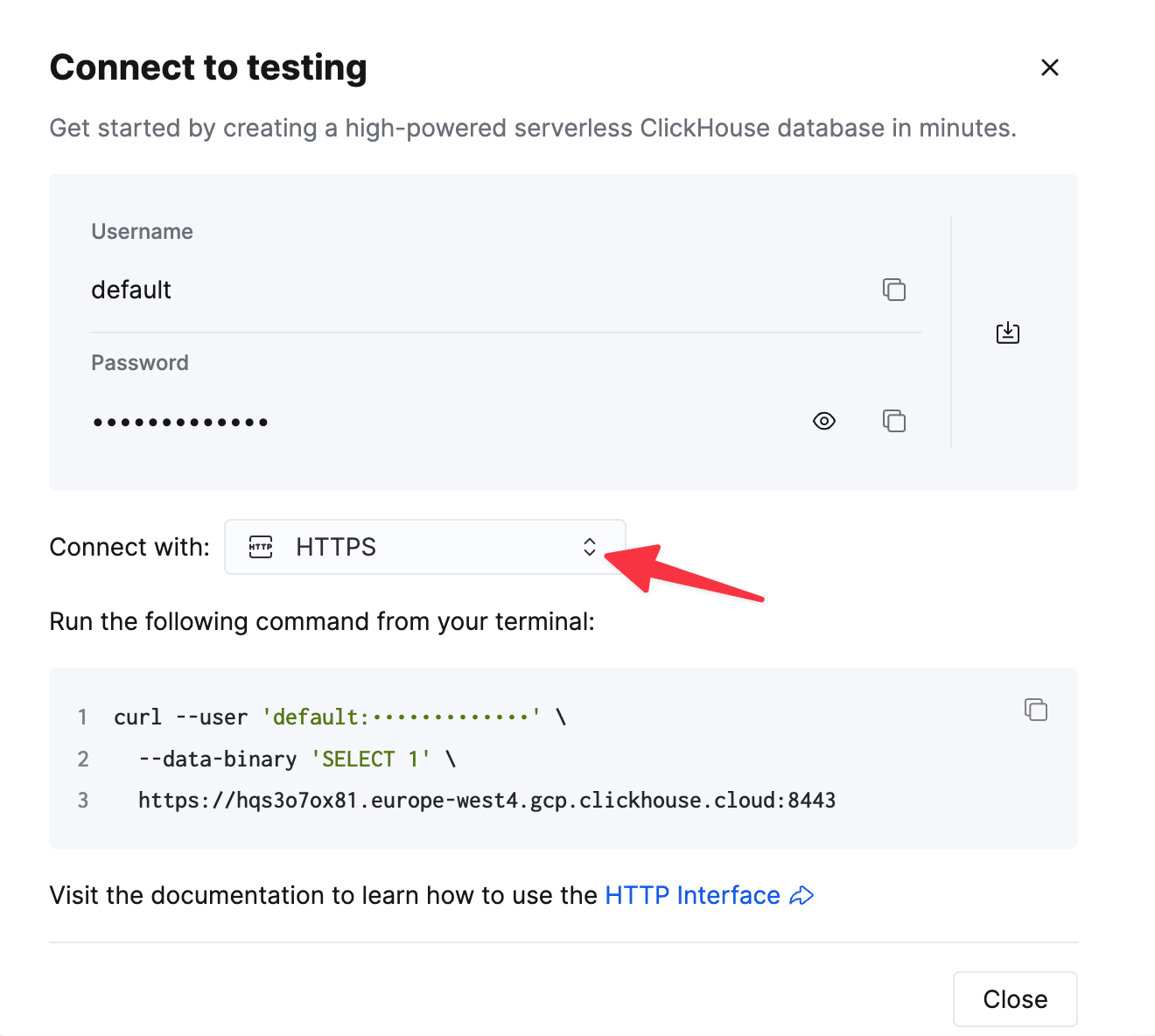
To connect to ClickHouse with HTTP(S) you need this information:
| Parameter(s) | Description |
|---|---|
HOST and PORT |
Typically, the port is 8443 when using TLS or 8123 when not using TLS. |
DATABASE NAME |
Out of the box, there is a database named default, use the name of the database that you want to connect to. |
USERNAME and PASSWORD |
Out of the box, the username is default. Use the username appropriate for your use case. |
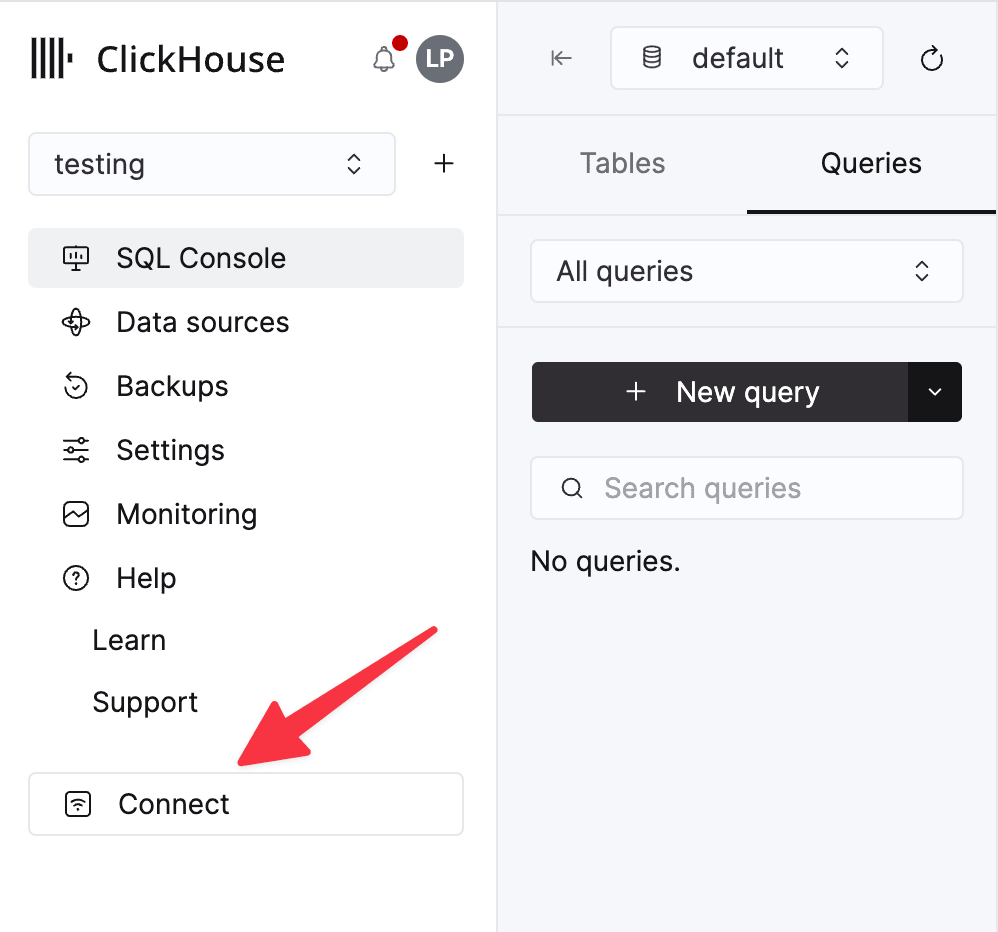
The details for your ClickHouse Cloud service are available in the ClickHouse Cloud console. Select a service and click Connect:
Choose HTTPS. Connection details are displayed in an example curl command.
If you’re using self-managed ClickHouse, the connection details are set by your ClickHouse administrator.
Load the ClickHouse driver
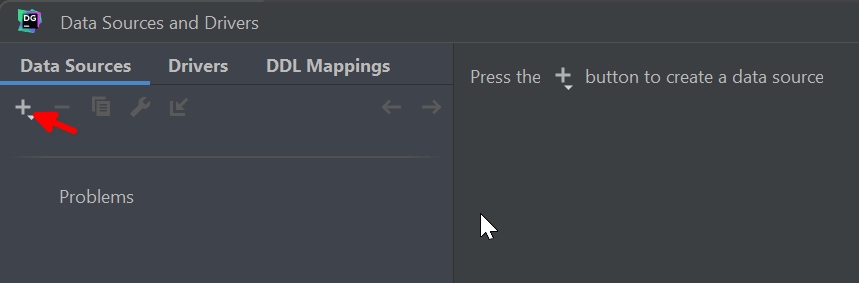
- Launch DataGrip, and on the Data Sources tab in the Data Sources and Drivers dialog, click the + icon
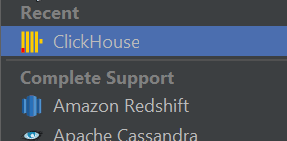
Select ClickHouse
-
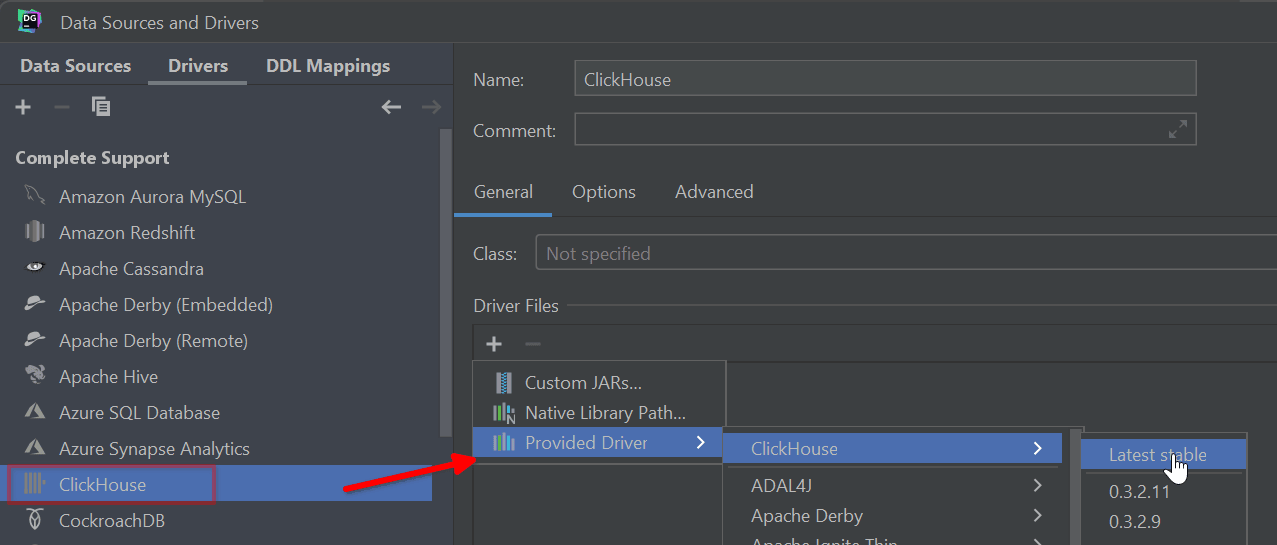
Switch to the Drivers tab and load the ClickHouse driver
DataGrip doesn’t ship with drivers in order to minimize the download size. On the Drivers tab Select ClickHouse from the Complete Support list, and expand the + sign. Choose the Latest stable driver from the Provided Driver option:
Connect to ClickHouse
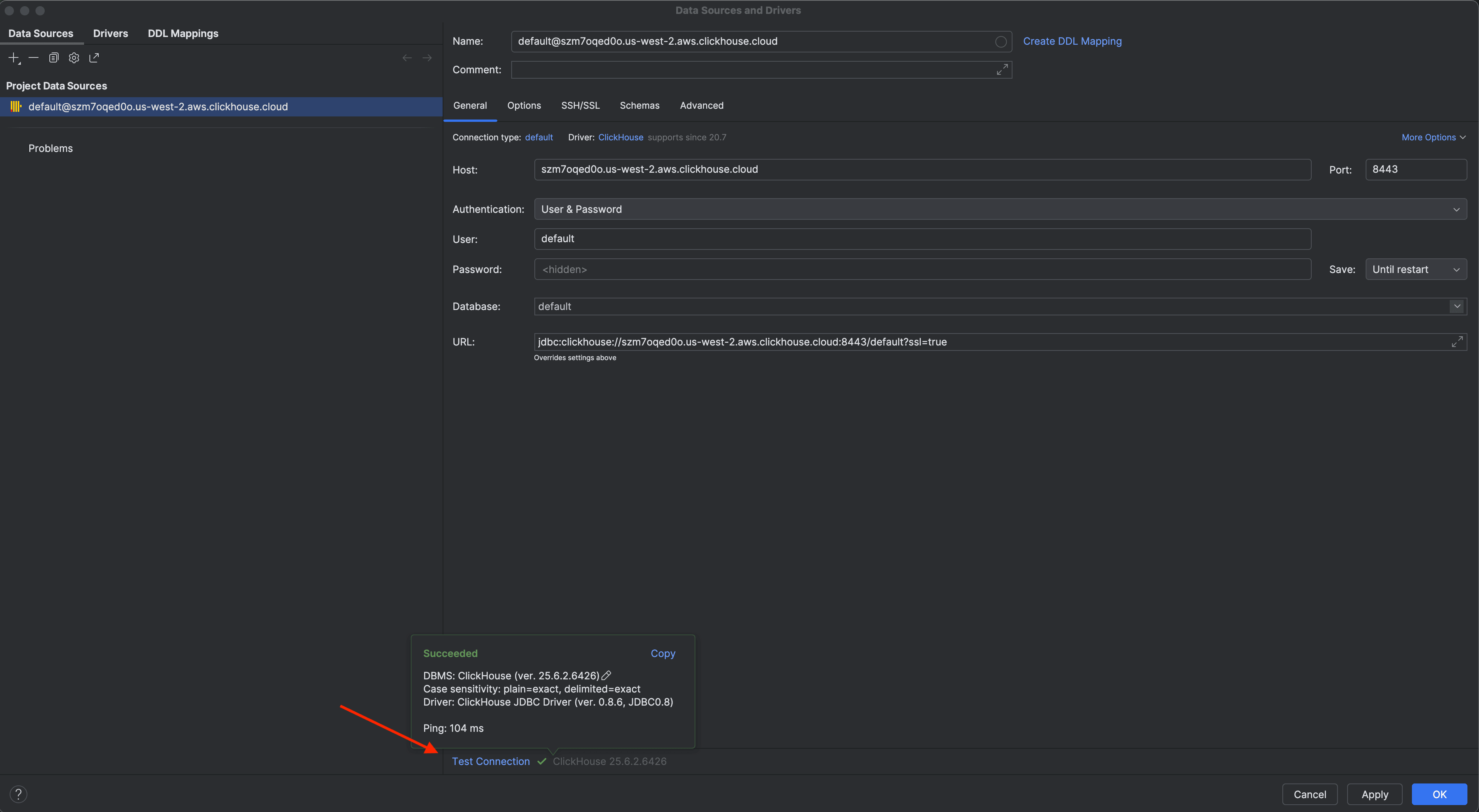
- Specify your database connection details, and click Test Connection. In step one you gathered your connection details - fill in the host URL, port, username, password, and database name, then test the connection.
Learn more
Find more information about DataGrip visit the DataGrip documentation.