

 Set up docs MCP
ClickHouse Cloud provides an API utilizing OpenAPI that allows you to programmatically manage your account and aspects of your services.
Open the API Keys page
You can use the API Keys tab on the left menu to create and manage your API keys.
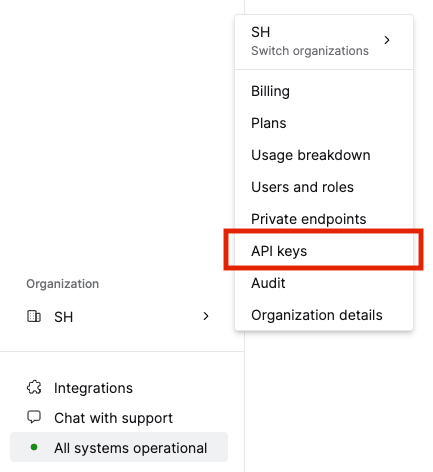
Start creating an API key
The API Keys page will initially display a prompt to create your first API key as shown below. After your first key is created, you can create new keys using the New API Key button that appears in the top right corner.
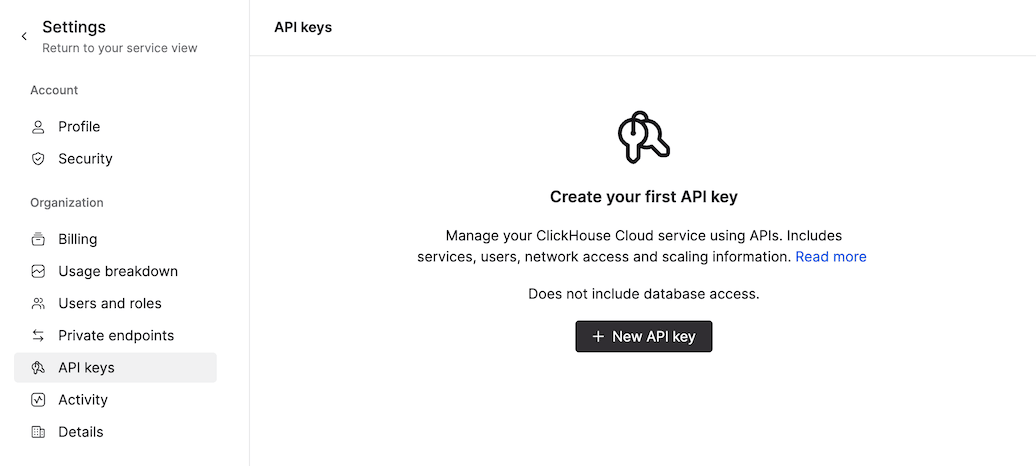
Configure the API key
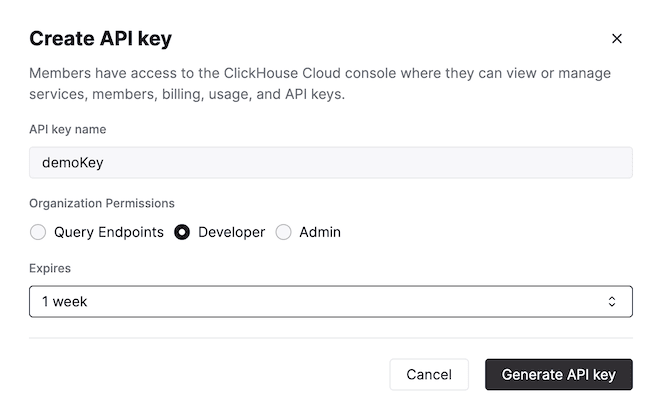
Specify the key name, permissions for the key, and expiration time.
Add allowed IP addresses
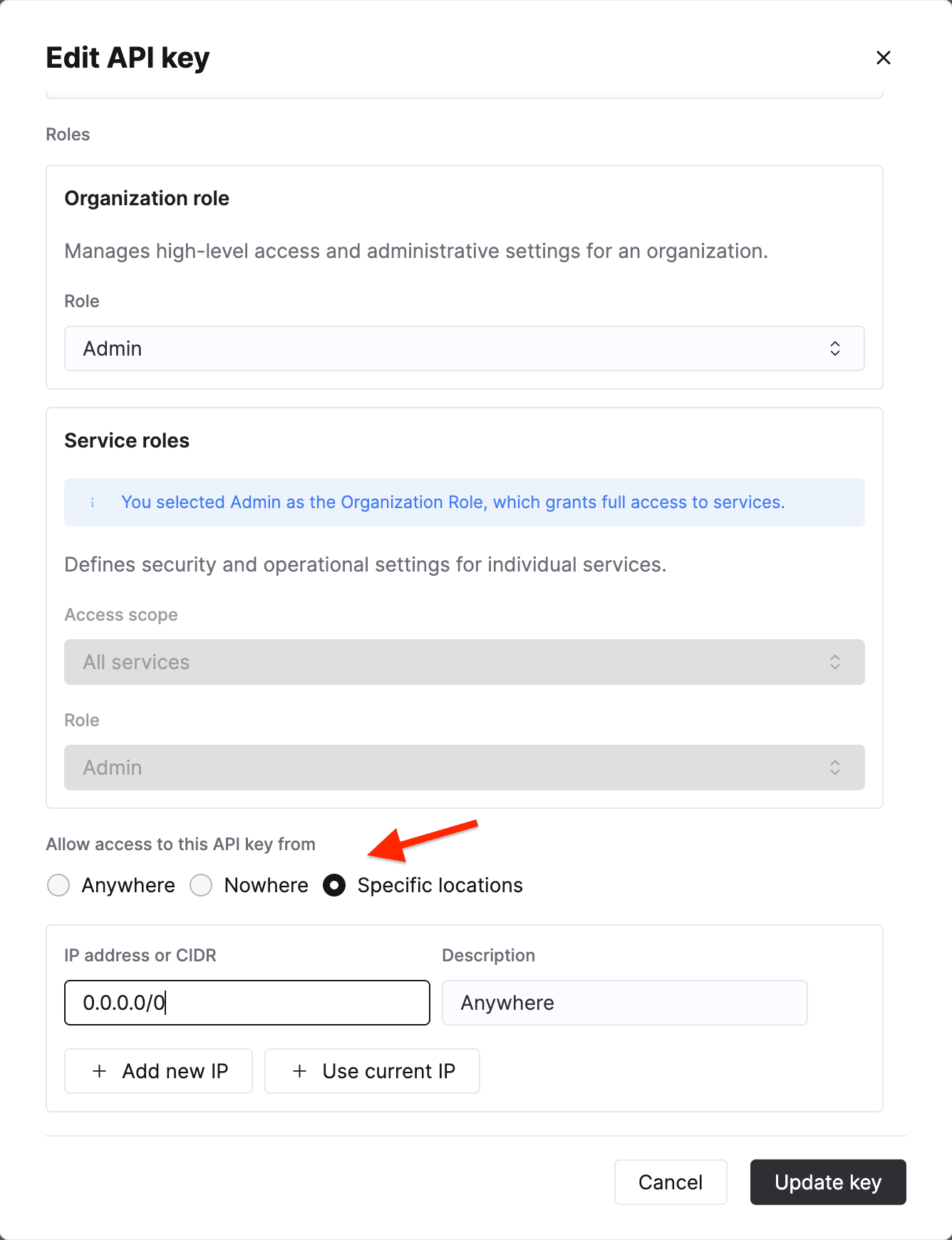
To restrict which clients can use the API key, in the Allow access to this API Key section, select Specific locations. Enter an IP address or CIDR range, such as 203.0.113.1 or 203.0.113.0/24, and add additional entries as needed.
Query API endpoints respect API key-level IP allowlists. Because requests are proxied from within ClickHouse’s infrastructure, service-level IP allowlists do not apply. See IP Access Control for details.
Click Generate API Key when you have finished configuring the key.
Save the API key credentials
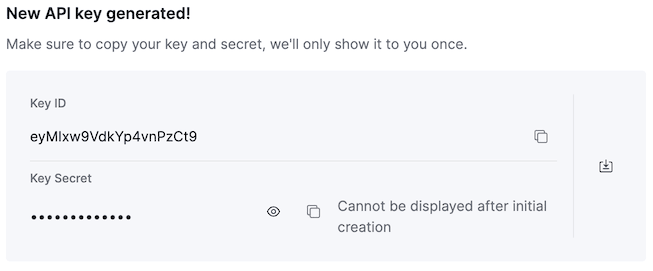
The next screen will display your Key ID and Key secret. Copy these values and put them somewhere safe, such as a vault. The values won’t be displayed after you leave this screen.
Authenticate API requests
The ClickHouse Cloud API uses HTTP Basic Authentication to verify the validity of your API keys. Here is an example of how to use your API keys to send requests to the ClickHouse Cloud API using curl:
$ KEY_ID=mykeyid
$ KEY_SECRET=mykeysecret

$ curl --user $KEY_ID:$KEY_SECRET https://api.clickhouse.cloud/v1/organizations
Manage existing API keys
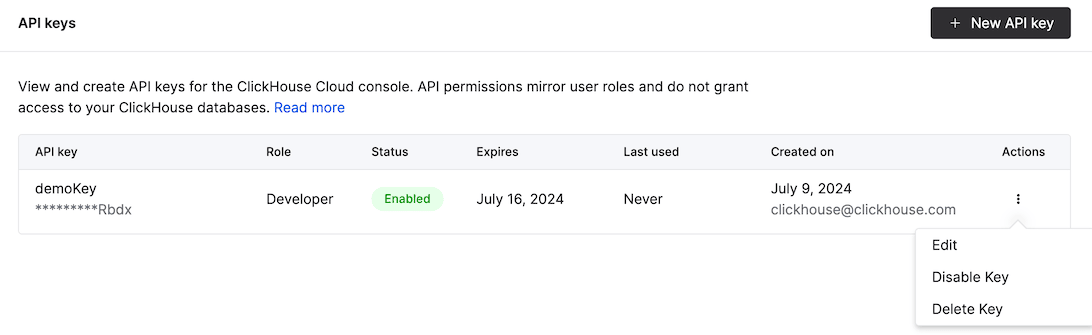
Returning to the API Keys page, you will see the key name, last four characters of the Key ID, permissions, status, expiration date, and creator. You’re able to edit the key name, permissions, and expiration from this screen. Keys may also be disabled or deleted from this screen.
Endpoints
Refer details on endpoints, refer to the API reference.
Use your API Key and API Secret with the base URL https://api.clickhouse.cloud/v1.